
Your cart is empty.
PAP
Measure your PAP with every throw
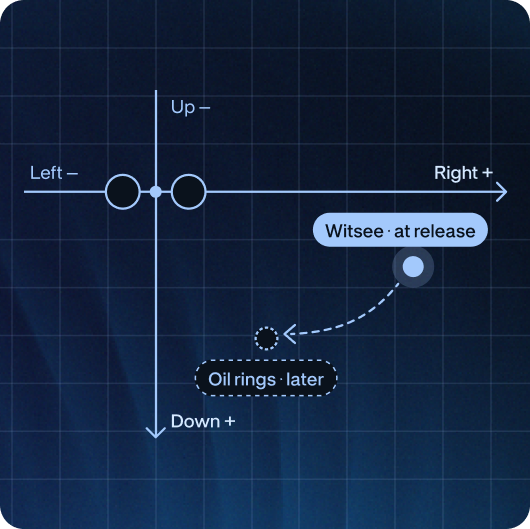
Witsee makes bowling PAP measurement simple, showing your Positive Axis Point at the moment of release, right in the app. No oil rings, no guesswork.
Average PAP at release
3 5/16″
Right
2 1/8″
Down
Drag to rotate · pinch to zoom
What is PAP?
PAP is the point on your ball that marks its rotation axis at release. It’s unique to your release and helps your ball driller choose a layout suited to your game.
Why it matters?
Get bowling balls drilled for your game
Give your driller a PAP measured over real throws, not guessed from one oil ring.
Keep an eye on your release
If your PAP shifts between sessions, your release has changed too.
No need to wait for oil rings
Your PAP appears in the app as you bowl, with no tape, no Armadillo and no extra shots.
How it works?
01
Setup your Witsee sensor
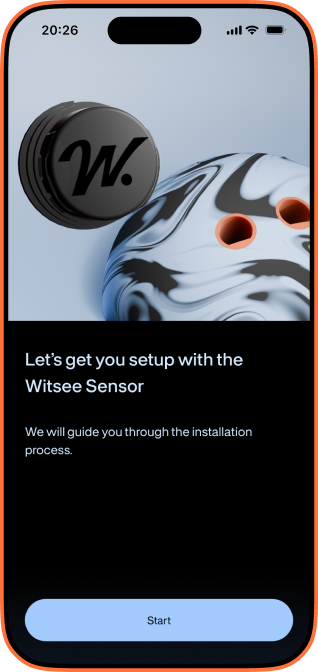
It goes into one of your grip holes in a couple of minutes, with no extra drilling.
02
Calibrate in the PAP module
In a Live Session, open PAP and hold the ball with the sensor hole facing sideways, at 90° to the ground.
03
Bowl as usual
See your PAP on the virtual ball and in the throws table.
How it works?
01
Setup your Witsee sensor
It goes into one of your grip holes in a couple of minutes, with no extra drilling.
02
Calibrate in the PAP module
In a Live Session, open PAP and hold the ball with the sensor hole facing sideways, at 90° to the ground.
03
Bowl as usual
See your PAP on the virtual ball and in the throws table.
Why Witsee PAP may differ from an Armadillo
Witsee measures PAP at the moment of release. Pro shops often find PAP with an Armadillo, using the oil rings the ball leaves on its surface as it travels down the lane.
Because a ball’s rotation axis can migrate after release, the two methods don’t always match – sometimes by 1 inch or more. This doesn’t necessarily mean either one is wrong: they simply look at the ball at different stages of its motion.
Have a question?
We want to make sure you are confident in our sensor, which is why we tried to answer most frequent questions, prepared tutorials and instructions.
Is PAP free or Premium?
PAP is included in the free version of the Witsee app, so every sensor owner gets it. Just update the app to version 1.1.1 or later, then open the PAP module in a Live Session to get started.
Do I need to drill an additional hole for the Witsee sensor?
No additional drilling or removing the grip required. The Witsee sensor inserts into one of the two grip holes via the sensor mount. Both, the sensor and the mount, can be removed at any time with ease.
Why is my Witsee PAP different from my pro shop’s?
Witsee measures PAP at the moment of release. Pro shops usually find it later, using an Armadillo and the oil rings your ball leaves on the lane. A ball’s rotation axis can migrate after release, so the two results may differ, sometimes by an inch or more. This doesn’t mean either one is wrong. They simply capture your ball at different stages of its motion.
Does it work for left-handed bowlers?
Yes. Witsee uses an absolute coordinate system, so the parameters are always labelled Right and Down. For left-handed bowlers, the PAP sits to the left of the finger holes’ midpoint, so the Right value is shown with a minus (–). For example, –3 5/16” means 3 5/16” to the left.
Make a striking difference.